Run the project from one connected workspace.
Quanavo Office gives owners, office teams and authorised managers a clear operational view of each project — bringing planning, commercials, materials, documents, people and project control into one connected system.
Built around projects. Connected to the site.
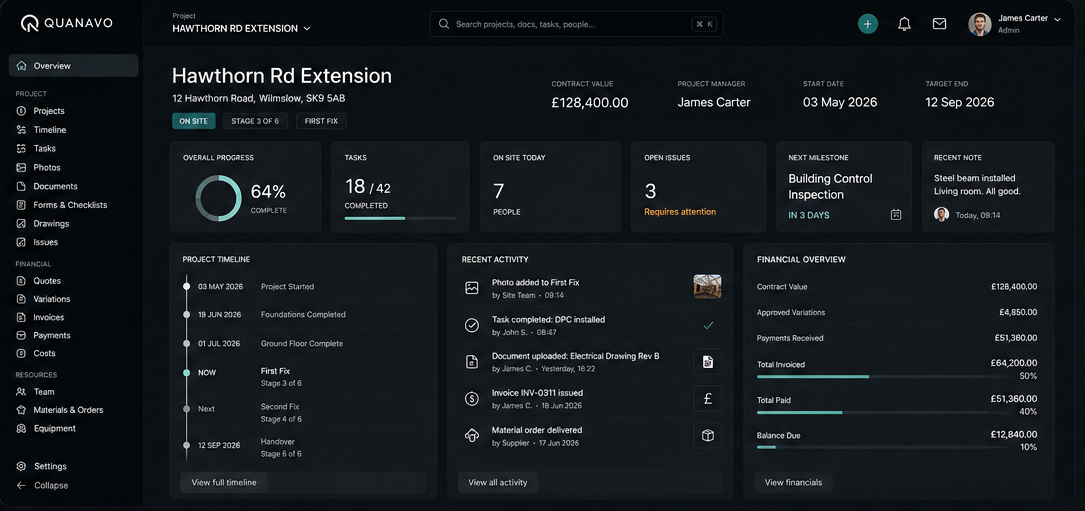
Everything the office needs, connected to the project.
Quanavo Office is designed for the people coordinating work, controlling commercial information and keeping projects moving.
Projects
The record everything else connects to.
Planning
Planned work in context of the project.
Commercials
Quotes, contracts, variations, invoices.
Documents
Drawings, forms and project records.
Team
People and permission-driven access.
Materials
Requirements through to site availability.
Job costing
Actual project costs in context.
Reporting
Project visibility for authorised users.
These are not separate tools. They are views of the same project record inside one Quanavo product.
The right access for the right people.
Quanavo is one product with permission-driven access. Owners, office staff, managers and field users see the parts of the system relevant to their company role and project access.
See what is happening without chasing updates.
Project information from the office and site comes together in one place, helping authorised users understand progress, upcoming work, issues, evidence and readiness.
- 01Plan
- 02Site activity
- 03Evidence
- 04Readiness
- 05Project visibility
Plan work around the reality of the project.
Quanavo keeps planning connected to project information, site activity, materials and readiness so the office can see what is planned and what may block the next stage.
Commercial control stays inside the project.
- 01Quote
- 02Contract
- 03Payment Schedule
- 04Variations
- 05Project Invoice
- 06Payments
Commercial information remains connected to the work being delivered, helping the office maintain visibility over project value, changes, invoices, payments and actual costs.
Explore Commercials →Keep procurement connected to delivery.
- 01Material Requirement
- 02RFQ
- 03Supplier Quotes
- 04Compare
- 05Select
- 06PO / Project Order
- 07Delivery
- 08Site Availability
- 09Job Costing
Quanavo gives the office visibility over what is required, quoted, ordered, delivered and available for the project.
Explore Materials →Documents stay connected to the work they support.
Drawings, project documents, forms and records remain attached to the relevant project, with versioning, import and export built into the wider Quanavo system.
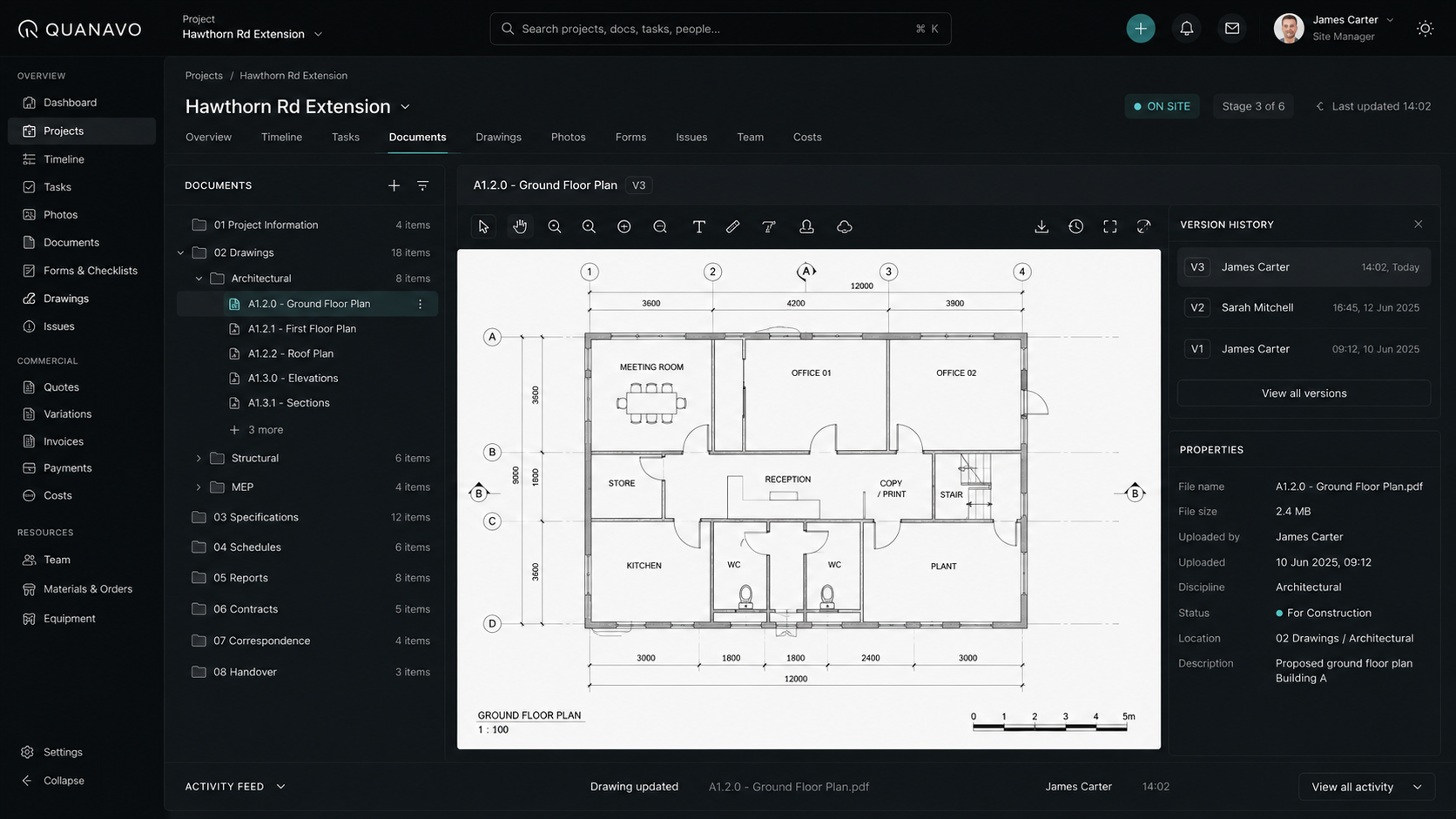
The office and the site work from the same record.
Quanavo Office does not sit separately from the field. Site activity, evidence, issues and project information flow into the same project record according to each user's permissions.
See blockers before the next stage begins.
Readiness brings together prerequisites, evidence, inspections, materials and project information so the office can see whether upcoming work is genuinely ready.
Explore Readiness →Level 1 — second fix
Prerequisites complete · materials on site · inspection passed
Level 2 — first fix
Awaiting delivery confirmation · 2 of 3 evidence items captured
Riser 4 — containment
Access not released · preceding works incomplete
More visibility without giving up control.
Quanavo uses AI to assist with organisation, visibility and understanding. It does not autonomously manage projects or make business decisions on behalf of the company.